If you already had a fiskaly user for the Dashboard, log in to HUB with the same credentials — no new registration is required.
If you never had a fiskaly user before, you cannot join an Account on your own: the Owner (or a user with the Admin role) must invite you to the relevant Account before you can access it.
Account Ownership and Access
Section titled “Account Ownership and Access”Each Account has exactly one Owner. The Owner holds full Admin rights plus exclusive actions such as requesting LIVE activation, and can invite and manage other users and their permissions at the Account level. See User Management for the full list of roles and how to invite users and assign them.
Organization Structure
Section titled “Organization Structure”In the HUB’s interface, the organization structure has been clarified and unified across all solutions. Every fiskaly customer now has a single Account that brings all of their organizations together in one unified view.
If you have used our previous Dashboard, the graphic below shows how the former naming and hierarchy map to the new structure in HUB, helping you understand how Accounts, Groups, and Units are now organized.
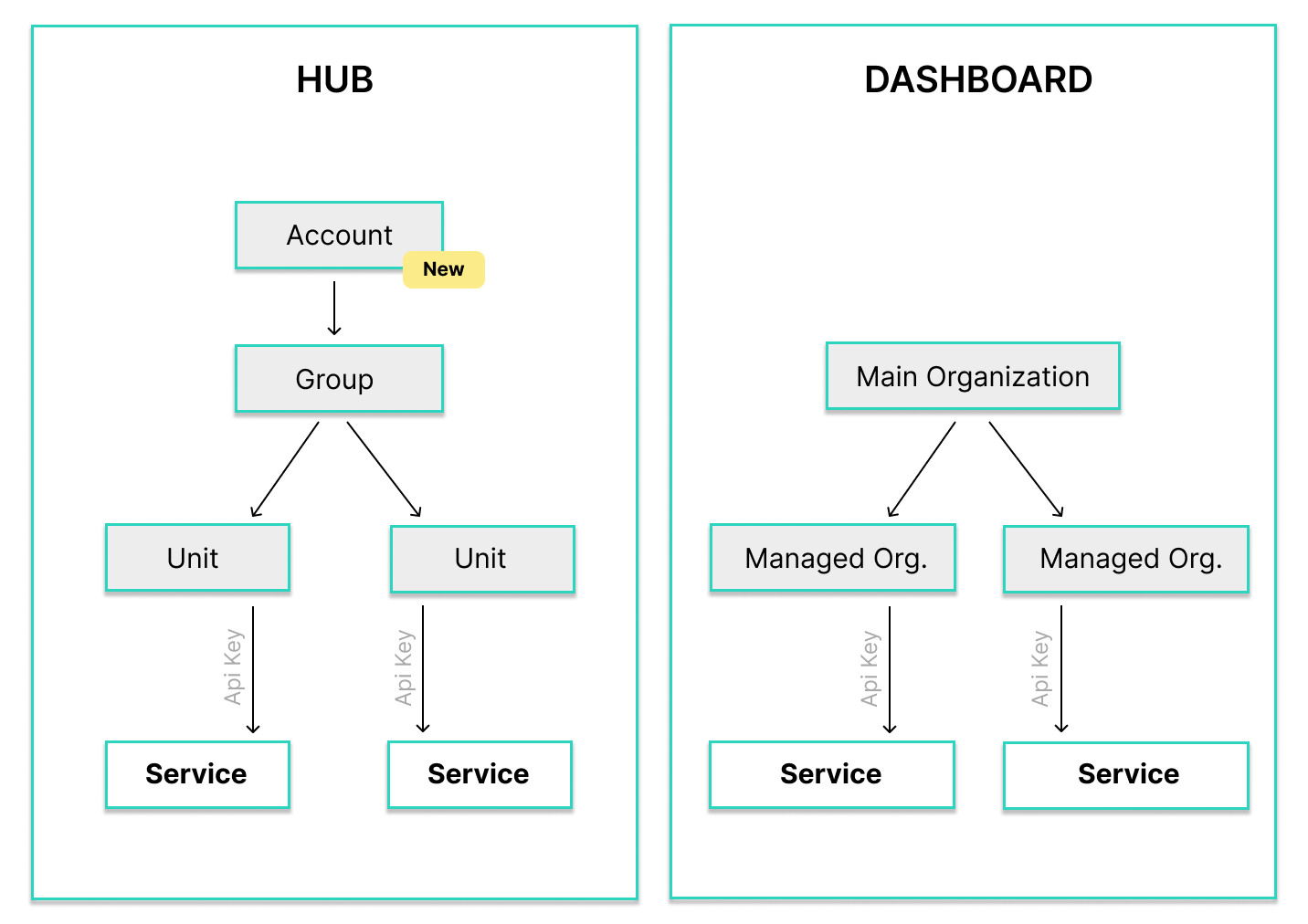
This terminology is specific to the HUB’s UI. Services are linked via API Keys at the Unit level, and this hierarchy is used consistently across HUB. API resource names and models may differ where required by each service’s API.
LIVE and TEST Resources
Section titled “LIVE and TEST Resources”If your LIVE environment was already enabled in the Dashboard, all your existing LIVE resources will automatically appear in HUB. If you were working only in the TEST environment, you will need to import your TEST resources using the “Link TEST organizations” button.