How to add an additional level to an Asset structure
This content is applicable only to legacy versions. A dedicated article for the latest version (SIGN IT 2026-02-03) will be available soon.
The API integration must include the creation of your main organization (created via the fiskaly dashboard), and Asset(s) UNIT representing each of your clients (created via the SIGN IT API).
However, if your Asset structure requires more flexibility, you can introduce an optional intermediate layer called **Asset ****GROUP**. This allows you to organize multiple Assets UNIT into logical groupings based on your preferred structure.
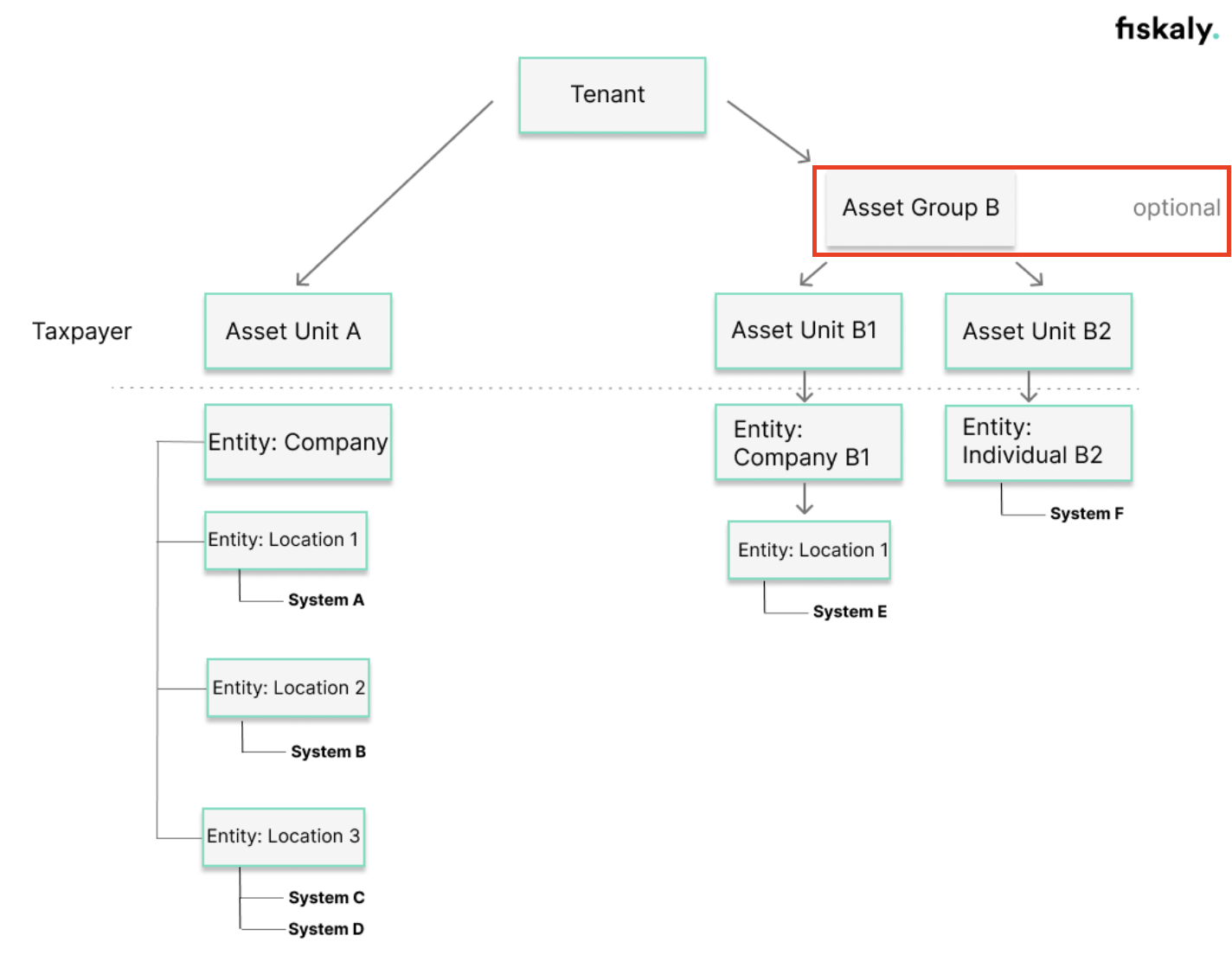
How to implement this new structure
Abschnitt betitelt „How to implement this new structure“Download the attached Postman collection, which includes the endpoints required for creating and managing Assets GROUP.
-
Create an Asset
GROUP- you will get its ID returned in thecontent.idfield of the response. -
Create Assets
UNIT, and link them to the AssetGROUPpreviously created by setting theX-Scope-Identifierheader to the AssetGROUPID.

Note: If the X-Scope-Identifier header is not provided, the Asset UNIT will be associated with the main organization (Asset TENANT) by default via the authorization token.
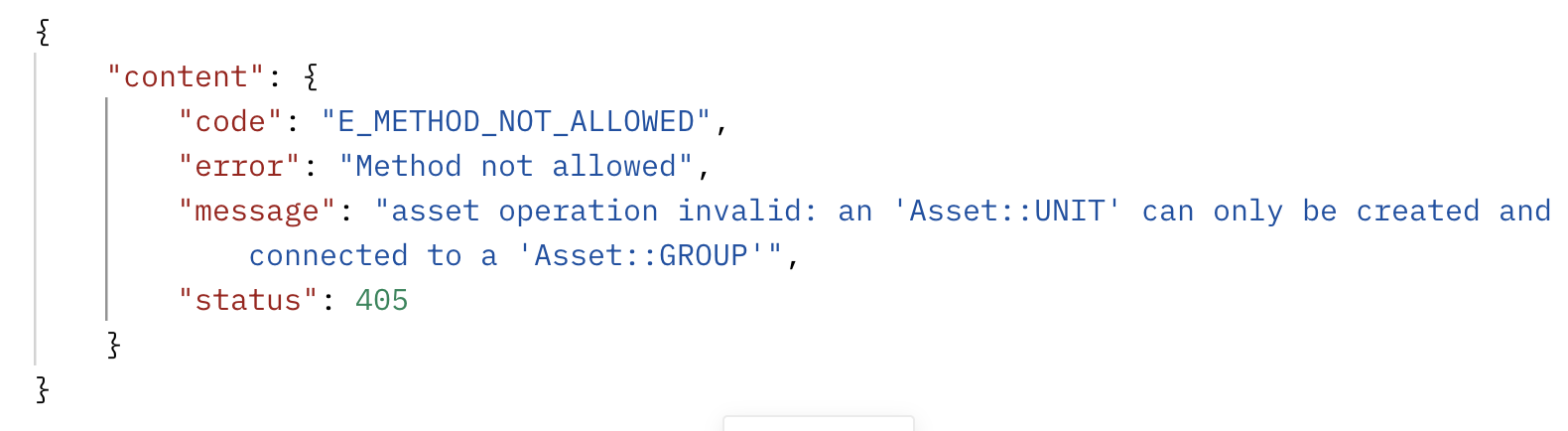
Important: In case the header is mistakenly set to another Asset UNIT ID instead of an Asset GROUP ID, the request will fail, and the response will clearly state that Assets UNIT can only be associated with Assets GROUP.
Was this page helpful?