How to check if FISCONLINE credentials are valid
Note: Validation against real data only occurs in the LIVE environment.
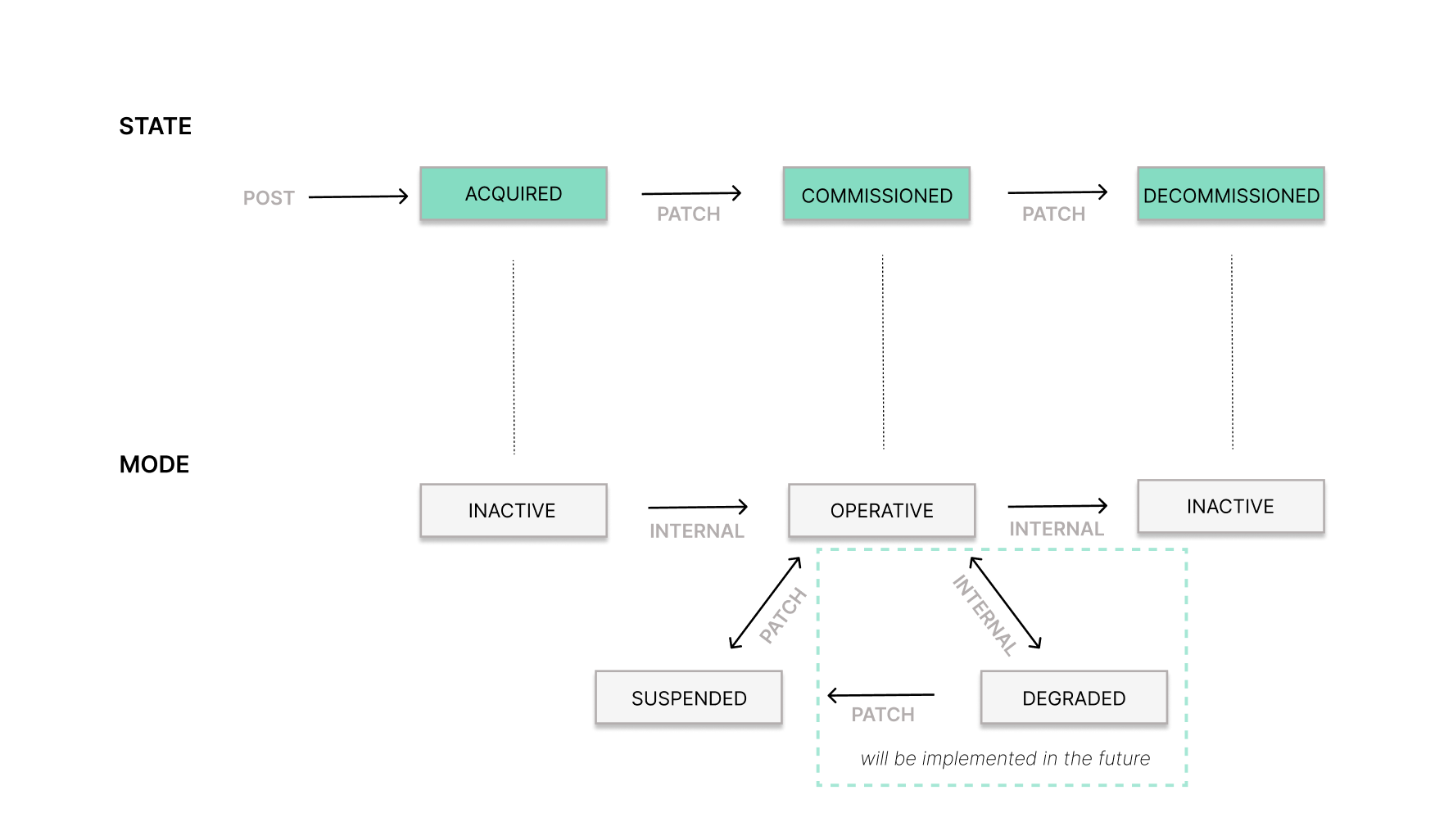
An initial validation of the credentials is already performed when the Taxpayer (formerly, Entity Company or Individual) state is updated from ACQUIRED to COMMISSIONED. If the credentials are valid, the Taxpayer mode will change to OPERATIVE.
Additionally, you can manually trigger a validation by changing the Taxpayer mode from OPERATIVE → SUSPENDED → OPERATIVE using the updateTaxpayer endpoint (formerly, updateEntity).
If the credentials are valid, the Taxpayer mode will switch to OPERATIVE. If invalid, it will remain SUSPENDED and it will be necessary to update the FISCONLINE credentials.
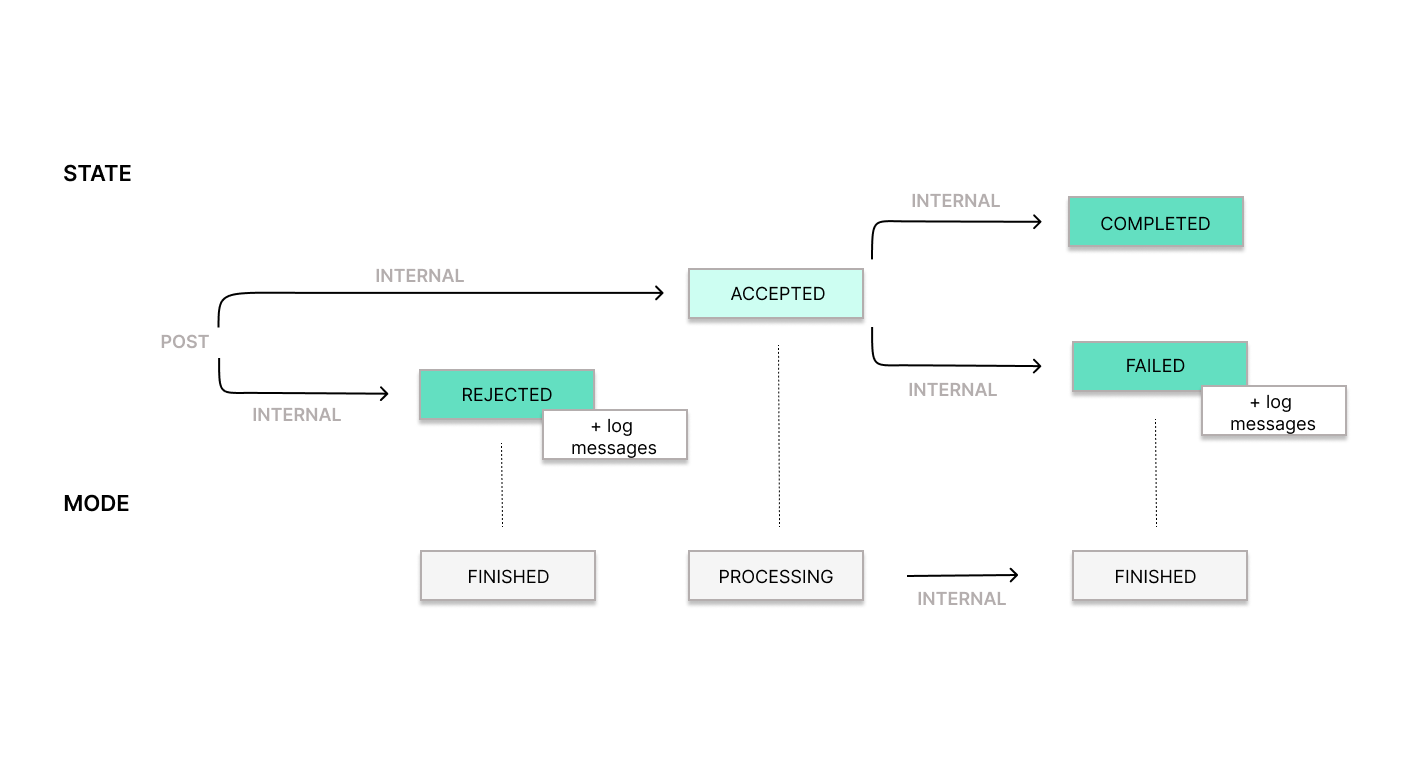
Later, when you create a Record, we perform another credential check. If the credentials are no longer valid, the mode of the Record will be set to FINISHED, but its state will be FAILED with an error message in the logs.
Note: If Record creation fails due to invalid credentials, the Taxpayer’s mode will not automatically change to DEGRADED at this time. However, this behavior is planned to be implemented in the future.
Was this page helpful?