TEST and LIVE environments
All fiskaly Accounts start in the TEST environment by default. The TEST environment provides full API functionality with sandbox data, allowing you to build and validate your integration before going to production. Any API Key generated within this setting enables the creation of resources exclusively for testing purposes.
When you are ready to process real transactions, you need to activate the LIVE environment.
Note: TEST and LIVE are fully separate: organizations and resources created in TEST do not exist in LIVE. You will need to create new organizations and resources in the LIVE environment, including a new API Key, as TEST API Keys do not authenticate against production endpoints.
Activating the LIVE environment in HUB
To enable the LIVE environment, click the “Go LIVE” option at the top of the page in the HUB.

While your request is being processed, the banner displays a “LIVE access pending” badge. In addition you will see a group in your test environment named “AccountName-LIVE”. This will be your future LIVE organisation, and no action from your side is required. Once your account has been approved and activated, you will gain access to the LIVE environment.
Switching between environments
Once LIVE is activated, you can switch between TEST and LIVE at any time directly in HUB.
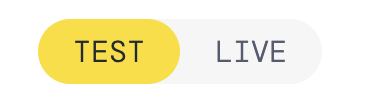
Note: Once your Organization operates in a LIVE environment, there is no requirement to disable test resources. The TEST environment remains fully accessible. The next step is to switch to the LIVE environment and create your production resources:
-
Access the new “AccountName-LIVE” Group that mirrors your production structure
-
Generate a new LIVE API Key — TEST API Keys do not work in LIVE
Important: Records sent in the LIVE environment should always reflect actual business transactions.
If you’re still using the fiskaly Dashboard
The instructions below apply to the legacy Dashboard interface.
The first organization created in the Dashboard will only have a TEST environment. There is the possibility to enable the LIVE environment, as indicated by the button positioned at the top left under your organization’s name:
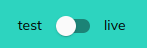
In order to set your first Organization LIVE, we require the Organization ID, along with the completion of the contractual agreement. Once we activate the LIVE environment, you will notice that the “ENABLE LIVE” button turns into a toggle, allowing users to switch between the TEST and LIVE environment:
It is important to highlight that once your organization operates in a LIVE environment, there is no requirement to disable test resources. The TEST environment remains accessible. TEST and LIVE resources are seamlessly supported, allowing for a smooth transition without the need to deactivate any resources.
Note: If you have not yet migrated to HUB, you can follow these steps. Migrating to HUB does not require recreating any existing resources — your current TEST and LIVE setup carries over automatically.
Was this page helpful?