How to represent a complimentary item (GIFT)
When a merchant provides goods or services free of charge, tax authorities usually require the VAT to be calculated based on the original value of those goods or services. Therefore, such transactions must include all relevant VAT details, even if the customer is not paying for the product.
The correct way to represent a complimentary item in SIGN IT is as follows:
-
Enter the full price and VAT details at the entry-level, as if the item were sold at full value.
-
Indicate the item’s nature by setting the
entries[].details.purposefield to"GIFT"
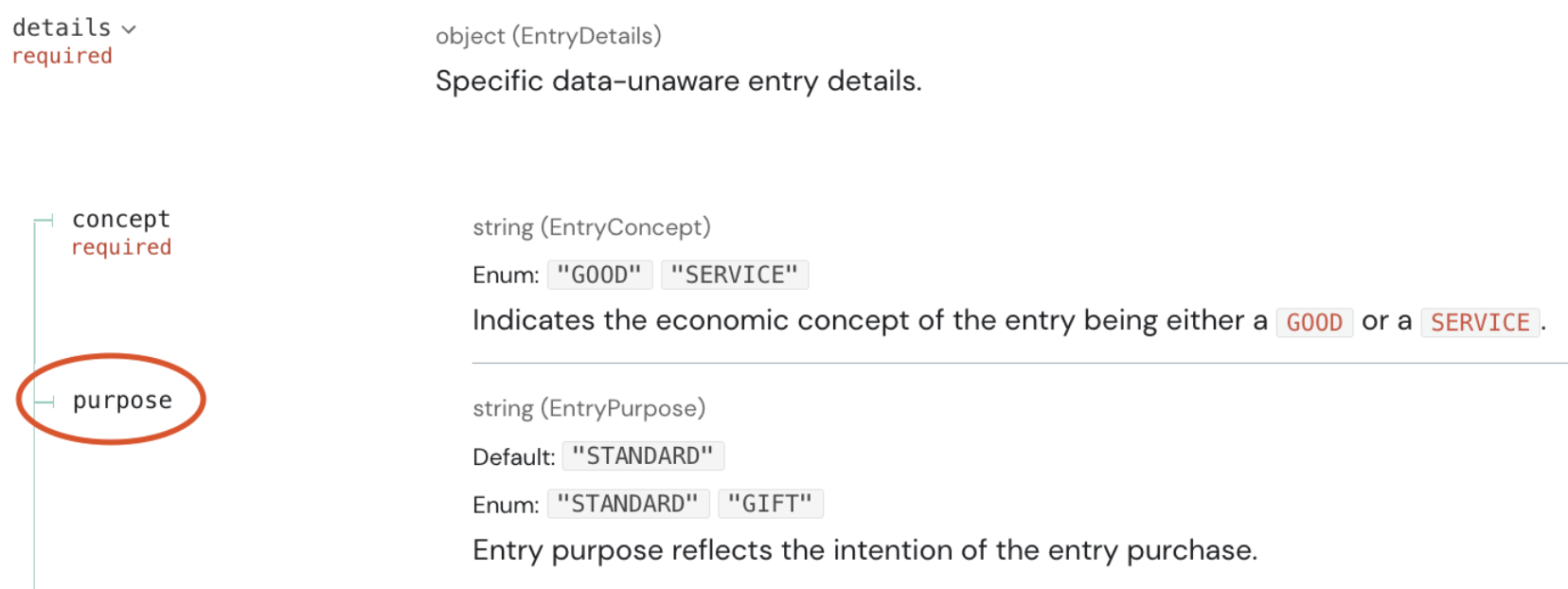
While partial discounts can be applied normally at the entry-level, a 100% discount must be represented as a GIFT. This ensures proper VAT handling and avoids compliance issues.
Below is an example representing an item offered free of charge ("GIFT").
{ "type": "SALE", "data": { "type": "ITEM", "text": "Product XYZ", "unit": { "quantity": "1", "price": "50" }, "value": { "base": "40.983607" }, "vat": { "type": "VAT_RATE", "code": "STANDARD", "percentage": "22.00", "amount": "9.016393", "exclusive": "40.983607", "inclusive": "50" } }, "details": { "concept": "GOOD", "purpose": "GIFT", "number": "1", "description": "Product XYZ" }}Was this page helpful?