Está viendo la documentación de la versión de API 2026-06-01.
Esta guía le acompaña a través del proceso completo de integración de la API fiskaly SIGN IT para el cumplimiento fiscal italiano, utilizando una combinación del fiskaly HUB y solicitudes a la API. Al final, dispondrá de un System completamente funcional con Records transmitidos a la Agenzia delle Entrate (AdE).
Flujo de integración
Sección titulada «Flujo de integración»El diagrama siguiente ilustra el flujo de trabajo y destaca los pasos esenciales necesarios para completar correctamente su integración. Cada mosaico enlaza directamente con el paso de configuración correspondiente a continuación.
Los pasos marcados en amarillo deben completarse directamente en HUB, mientras que los pasos restantes deben gestionarse a través de la API SIGN IT. Realizar cada acción en el contexto correcto es un paso importante hacia una integración exitosa.
Requisitos previos
Sección titulada «Requisitos previos»Necesitará una herramienta para realizar solicitudes HTTP — como cURL (línea de comandos), Postman, o su propio código de aplicación. Se recomienda tener conocimientos básicos de API REST y flujos de autenticación.
También puede descargar nuestra colección de Postman para SIGN IT, que incluye solicitudes prediseñadas para cada paso de esta guía.
Antes de comenzar, eche un vistazo a la descripción general de lo que va a configurar.
Configuración paso a paso
Sección titulada «Configuración paso a paso»Registrarse en HUB
Comience registrándose en el fiskaly HUB.
Para más orientación sobre cómo empezar, diríjase a nuestra sección HUB - Primeros pasos.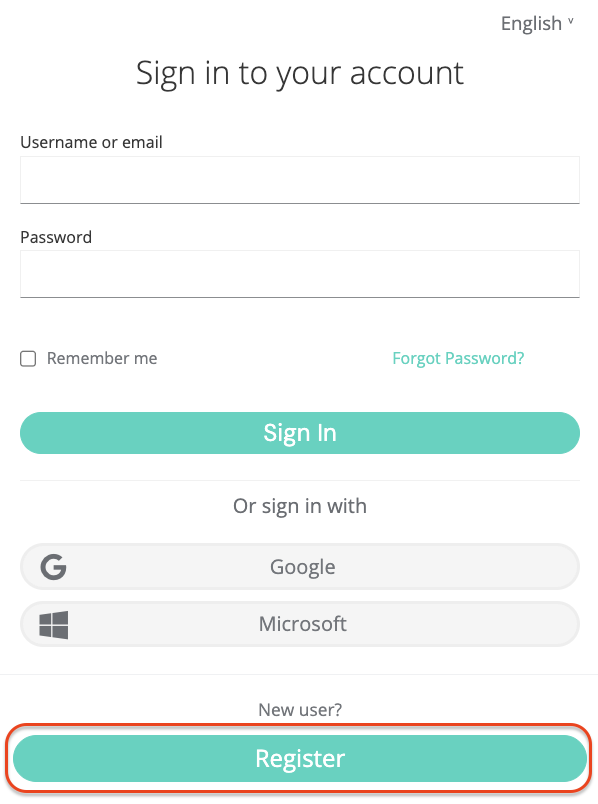
Crear Account & Organization
GROUPCrear una Account de fiskaly es el primer paso, tras el cual puede proceder a configurar la primera estructura organizativa para su negocio y generar su clave API.
La Account representa al proveedor de POS o a un minorista que opera su propio sistema POS. Es la organización de nivel superior en la estructura.
Después de crear su Account de fiskaly, será dirigido al Selector de Organización donde podrá crear su Group. Un Group es un nivel intermedio dentro de una Account que le ayuda a organizar múltiples Units en clusters lógicos.
Crear clave API
El siguiente paso es generar una clave API para su Organización a través del HUB dentro de su Group.
Recibirá una clave API y un secreto API. Guárdelos de forma segura — los necesitará para autenticarse en la API SIGN IT y crear sus Organización(es) de tipo
UNIT(paso 5). El secreto API solo se muestra una vez. Asegúrese de guardarlo de forma segura antes de cerrar el cuadro de diálogo.💡Entornos TEST y LIVELas claves API generadas en el entorno TEST (
https://test.api.fiskaly.com) crearán recursos TEST, mientras que las del entorno LIVE (https://live.api.fiskaly.com) crearán recursos LIVE. Para más detalles, consulte nuestro artículo sobre los entornos TEST y LIVE.
Crear Token
A partir de este paso, utilizará la API SIGN IT.
Llame al endpoint createToken con la clave API y el secreto del paso 3 para obtener un token
bearer. Incluya este token en la cabeceraAuthorizationde los pasos 5 y 6.curl -X POST https://test.api.fiskaly.com/tokens \ -H "Content-Type: application/json" \ -H "X-Api-Version: 2026-06-01" \ -H "X-Idempotency-Key: $(uuidgen)" \\ -d '{ "content": { "type": "API_KEY", "key": "your_api_key", "secret": "your_api_secret" } }'const response = await fetch( "https://test.api.fiskaly.com/tokens", { method: "POST", headers: { "Content-Type": "application/json", "X-Api-Version": "2026-06-01", "X-Idempotency-Key": crypto.randomUUID(), }, body: JSON.stringify({ content: { type: "API_KEY", key: "your_api_key", secret: "your_api_secret", }, }), } ); const token = await response.json(); const accessToken = token.content.authentication.bearer;Ejemplo de respuesta (200 OK)
{"content": {"id": "6f1c5c9e-3d9c-4f8c-9f20-7de8f3a91b11","authentication": {"type": "JWT","bearer": "eyJhbGciOiJSUzI1NiIsInR5cCI6IkpXVCJ9...","expires_at": "2026-03-02T12:00:00Z"},"organization": {"id": "b7b6f971-5a3c-4e1e-9f58-2f2a8457bb2d"},"subject": {"id": "2d4a0c2a-c2c9-4e3b-a0e8-b8f7e70d6f33"}}}Crear Organization
UNITCree una Organización de tipo
UNITa través del endpoint createOrganization. UnaUNITrepresenta una única entidad jurídica (comerciante). Deberá crear una OrganizaciónUNITpara cada representación de contribuyente que gestione.Usar el token
bearergenerado en el paso 4 con la clave API y el secreto creados para su Group garantiza que laUNITquede correctamente anidada bajo ese Group en la jerarquía.curl -X POST https://test.api.fiskaly.com/organizations \ -H "Content-Type: application/json" \ -H "X-Api-Version: 2026-06-01" \ -H "X-Idempotency-Key: $(uuidgen)" \ -H "Authorization: Bearer ${ACCESS_TOKEN}" \ -d '{ "content": { "type": "UNIT", "name": "My Retail Store" } }'const response = await fetch( "https://test.api.fiskaly.com/organizations", { method: "POST", headers: { "Content-Type": "application/json", "X-Api-Version": "2026-06-01", "X-Idempotency-Key": crypto.randomUUID(), "Authorization": `Bearer ${accessToken}`, }, body: JSON.stringify({ content: { type: "UNIT", name: "My Retail Store", }, }), } ); const organization = await response.json(); const organizationId = organization.content.id;Ejemplo de respuesta (201 Creado)
{"content": {"id": "9a746f13-0ef7-4a0f-a7df-8e52089c5f3a","state": "ENABLED","type": "UNIT","name": "My Retail Store","organization": {"id": "d4c7b3d1-71f6-45d6-a289-4adf5d54b9c1"}},"metadata": {"trace_identifier": "trace_abc123","api_version": "2026-06-01"}}Crear Subject (clave API)
Cree un Subject de tipo
API_KEYpara la OrganizaciónUNITa través del endpoint createSubject.Para asociar el Subject (clave API) con su
UNIT, incluya la cabeceraX-Scope-Identifierestablecida en elidde la OrganizaciónUNITen su solicitud.curl -X POST https://test.api.fiskaly.com/subjects \ -H "Content-Type: application/json" \ -H "X-Api-Version: 2026-06-01" \ -H "X-Idempotency-Key: $(uuidgen)" \ -H "Authorization: Bearer ${ACCESS_TOKEN}" \ -H "X-Scope-Identifier: ${ORGANIZATION_ID}" \ -d '{ "content": { "type": "API_KEY", "name": "my-api-key-03" } }'const response = await fetch( "https://test.api.fiskaly.com/subjects", { method: "POST", headers: { "Content-Type": "application/json", "X-Api-Version": "2026-06-01", "X-Idempotency-Key": crypto.randomUUID(), "Authorization": `Bearer ${accessToken}`, "X-Scope-Identifier": organizationId, }, body: JSON.stringify({ content: { type: "API_KEY", name: "my-api-key-03", }, }), } ); const subject = await response.json(); // Save the returned key and secret for the next stepEjemplo de respuesta (201 Creado)
{"content": {"id": "2d4a0c2a-c2c9-4e3b-a0e8-b8f7e70d6f33","state": "ENABLED","type": "API_KEY","name": "my-api-key-03","credentials": {"key": "fsk_unit_abc123","secret": "secret_only_shown_once"}},"metadata": {"trace_identifier": "trace_abc123","api_version": "2026-06-01"}}Crear Token
Cree un token usando la clave API y el secreto del Subject que acaba de generar. Este token
bearerse utilizará para todos los pasos siguientes para crear recursos dentro de la OrganizaciónUNITcorrespondiente.curl -X POST https://test.api.fiskaly.com/tokens \ -H "Content-Type: application/json" \ -H "X-Api-Version: 2026-06-01" \ -H "X-Idempotency-Key: $(uuidgen)" \\ -d '{ "content": { "type": "API_KEY", "key": "subject_api_key", "secret": "subject_api_secret" } }'const tokenResponse = await fetch( "https://test.api.fiskaly.com/tokens", { method: "POST", headers: { "Content-Type": "application/json", "X-Api-Version": "2026-06-01", "X-Idempotency-Key": crypto.randomUUID(), }, body: JSON.stringify({ content: { type: "API_KEY", key: "subject_api_key", secret: "subject_api_secret", }, }), } ); const token = await tokenResponse.json(); const unitToken = token.content.authentication.bearer;Ejemplo de respuesta (200 OK)
{"content": {"id": "3a5b4c61-2e8d-4a9d-9ac1-6df5a4e9138d","authentication": {"type": "JWT","bearer": "eyJhbGciOiJSUzI1NiIsInR5cCI6IkpXVCJ9...","expires_at": "2026-03-02T12:00:00Z"},"organization": {"id": "9a746f13-0ef7-4a0f-a7df-8e52089c5f3a"},"subject": {"id": "2d4a0c2a-c2c9-4e3b-a0e8-b8f7e70d6f33"}},"metadata": {"trace_identifier": "trace_abc123","api_version": "2026-06-01"}}Crear Taxpayer
Ahora está listo para crear las partes operativas necesarias para la fiscalización en Italia.
Utilice el endpoint createTaxpayer para añadir la información del Taxpayer a la Organización
UNITque creó anteriormente:- Establezca el Taxpayer como tipo
COMPANY(persona jurídica) oINDIVIDUAL(persona física). En ambos casos, se deben proporcionar elnamey laaddress. - Dentro de la información de
fiscalizationitaliana, se deben proporcionar los siguientes datos del contribuyente:tax_id_number: Código fiscal italiano (Codice fiscale) del negociovat_id_number: Número de IVA italiano (Partita IVA) del negociocredentials: PIN, contraseña y número de identificación fiscal del usuario Fisconline necesarios para acceder a los servicios de la AdE
curl -X POST https://test.api.fiskaly.com/taxpayers \
  -H "Content-Type: application/json" \
  -H "X-Api-Version: 2026-06-01" \
  -H "X-Idempotency-Key: $(uuidgen)" \
  -H "Authorization: Bearer ${UNIT_TOKEN}" \
  -d '{
    "content": {
      "type": "COMPANY",
      "name": {
        "legal": "La Pizzeria di Mario S.r.l.",
        "trade": "La Pizzeria di Mario"
      },
      "address": {
        "line": {
          "type": "STREET_NUMBER",
          "street": "Via Roma",
          "number": "123"
        },
        "code": "00100",
        "city": "Rome",
        "country": "IT"
      },
      "fiscalization": {
        "type": "IT",
        "tax_id_number": "12345678901",
        "vat_id_number": "12345678901",
        "credentials": {
          "type": "FISCONLINE",
          "pin": "1234567890",
          "password": "MySecurePassword123",
          "tax_id_number": "RSSMRA85M01H501Z"
        }
      }
    }
  }'
const response = await fetch( "https://test.api.fiskaly.com/taxpayers", { method: "POST", headers: { "Content-Type": "application/json", "X-Api-Version": "2026-06-01", "X-Idempotency-Key": crypto.randomUUID(), "Authorization": `Bearer ${unitToken}`, }, body: JSON.stringify({ content: { type: "COMPANY", name: { legal: "La Pizzeria di Mario S.r.l.", trade: "La Pizzeria di Mario", }, address: { line: { type: "STREET_NUMBER", street: "Via Roma", number: "123", }, code: "00100", city: "Rome", country: "IT", }, fiscalization: { type: "IT", tax_id_number: "12345678901", vat_id_number: "12345678901", credentials: { type: "FISCONLINE", pin: "1234567890", password: "MySecurePassword123", tax_id_number: "RSSMRA85M01H501Z", }, }, }, }), } ); const taxpayer = await response.json(); const taxpayerId = taxpayer.content.id;Ejemplo de respuesta (201 Creado)
{"content": {"address": {"city": "Rome","code": "00100","country": "IT","line": {"number": "123","street": "Via Roma","type": "STREET_NUMBER"}},"country": "Italy","created_at": "2026-03-05T14:58:05.729928Z","fiscalization": {"credentials": {"password": "ccf9ac1c","pin": "c775e7b7","tax_id_number": "RSSMRA85M01H501Z","type": "FISCONLINE"},"tax_id_number": "12345678901","type": "IT","vat_id_number": "12345678901"},"id": "019cbe81-8721-7e27-99d9-1bb4a267ba56","locations": [{"description": "Head office location.","type": "HEAD_OFFICE"},{"description": "Branch location.","type": "BRANCH"}],"mode": "INACTIVE","name": {"legal": "La Pizzeria di Mario S.r.l.","trade": "La Pizzeria di Mario"},"state": "ACQUIRED","type": "COMPANY","updated_at": "2026-03-05T14:58:05.729928Z","vat_number": "IT12345678901"}}Una vez creado un Taxpayer, su
statese establece enACQUIREDde forma predeterminada. Para hacerlo completamente funcional, actualice el estado aCOMMISSIONEDmediante el endpoint updateTaxpayer:curl -X PATCH "https://test.api.fiskaly.com/taxpayers/${TAXPAYER_ID}" \ -H "Content-Type: application/json" \ -H "X-Api-Version: 2026-06-01" \ -H "Authorization: Bearer ${UNIT_TOKEN}" \ -d '{ "content": { "state": "COMMISSIONED" } }'await fetch( `https://test.api.fiskaly.com/taxpayers/${taxpayerId}`, { method: "PATCH", headers: { "Content-Type": "application/json", "X-Api-Version": "2026-06-01", "Authorization": `Bearer ${unitToken}`, }, body: JSON.stringify({ content: { state: "COMMISSIONED", }, }), } );Ejemplo de respuesta (200 OK)
{"content": {"address": {"city": "Rome","code": "00100","country": "IT","line": {"number": "123","street": "Via Roma","type": "STREET_NUMBER"}},"country": "Italy","created_at": "2026-03-05T14:58:05.729928Z","fiscalization": {"credentials": {"password": "ccf9ac1c","pin": "c775e7b7","tax_id_number": "RSSMRA85M01H501Z","type": "FISCONLINE"},"tax_id_number": "12345678901","type": "IT","vat_id_number": "12345678901"},"id": "019cbe81-8721-7e27-99d9-1bb4a267ba56","locations": [{"description": "Head office location.","type": "HEAD_OFFICE"},{"description": "Branch location.","type": "BRANCH"}],"mode": "OPERATIVE","name": {"legal": "La Pizzeria di Mario S.r.l.","trade": "La Pizzeria di Mario"},"state": "COMMISSIONED","type": "COMPANY","updated_at": "2026-03-05T15:02:41.223565Z","vat_number": "IT12345678901"}}📘NoteSolo las credenciales Fisconline son válidas para utilizar SIGN IT lite. El contribuyente debe realizar manualmente un inicio de sesión inicial en el portal web de la Agencia Tributaria para asegurarse de que las credenciales funcionan correctamente y para aceptar los términos, condiciones y cláusulas adicionales establecidos.
⚠️Renovación de credenciales requeridaLas credenciales Fisconline caducan cada 90 días en el portal AdE, aunque recomendamos renovarlas cada 60 días como buena práctica. Aprenda cómo en este artículo: SIGN IT - How to update the FISCONLINE credentials
Para más información, consulte nuestra sección Credenciales.
Para una guía detallada del comerciante sobre cómo solicitar credenciales Fisconline, contacte con nuestro equipo de ventas.
- Establezca el Taxpayer como tipo
Crear Location
Para cada ubicación comercial operativa, debe crear una Location de tipo
BRANCHa través del endpoint createLocation.curl -X POST https://test.api.fiskaly.com/locations \ -H "Content-Type: application/json" \ -H "X-Api-Version: 2026-06-01" \ -H "X-Idempotency-Key: $(uuidgen)" \ -H "Authorization: Bearer ${UNIT_TOKEN}" \ -d '{ "content": { "type": "BRANCH", "taxpayer": { "id": "your_taxpayer_id" }, "name": "Roma Centro Branch", "address": { "line": { "type": "STREET_NUMBER", "street": "Via Roma", "number": "1" }, "code": "00100", "city": "Roma", "country": "IT" } }, "metadata": { "store_code": "STORE001" } }'const response = await fetch( "https://test.api.fiskaly.com/locations", { method: "POST", headers: { "Content-Type": "application/json", "X-Api-Version": "2026-06-01", "X-Idempotency-Key": crypto.randomUUID(), "Authorization": `Bearer ${unitToken}`, }, body: JSON.stringify({ content: { type: "BRANCH", taxpayer: { id: taxpayerId, }, name: "Roma Centro Branch", address: { line: { type: "STREET_NUMBER", street: "Via Roma", number: "1", }, code: "00100", city: "Roma", country: "IT", }, }, }), } ); const location = await response.json(); const locationId = location.content.id;Ejemplo de respuesta (201 Creado)
{"content": {"address": {"city": "Roma","code": "00100","country": "IT","line": {"number": "1","street": "Via Roma","type": "STREET_NUMBER"}},"created_at": "2026-03-05T15:07:09.776328Z","id": "019cbe89-d450-7501-9928-1e7d94339208","mode": "INACTIVE","name": "Roma Centro Branch","state": "ACQUIRED","systems": [{"description": "Fiscal device (SIGN IT lite).","type": "FISCAL_DEVICE"}],"taxpayer": {"id": "019cbe81-8721-7e27-99d9-1bb4a267ba56"},"type": "BRANCH","updated_at": "2026-03-05T15:07:09.776328Z"},"metadata": {"store_code": "STORE001"}}Una vez creada una Location, su
statese establece enACQUIREDde forma predeterminada. Actualice el estado aCOMMISSIONEDmediante el endpoint updateLocation antes de continuar.📘NoteSi el contribuyente opera desde una única ubicación comercial que coincide con la dirección legal, la creación de una
Location::BRANCHno es obligatoria. UnaLocation::HEAD_OFFICEse crea automáticamente al crear el Taxpayer y comparte el mismo UUID que el Taxpayer. Cuando el Taxpayer se establece enCOMMISSIONED, laLocation::HEAD_OFFICEse establece automáticamente enCOMMISSIONEDtambién.Crear System (
FISCAL_DEVICE)El endpoint createSystem le permite crear una abstracción de cada Sistema de Registro Electrónico (SRE) utilizado para las operaciones fiscales. Cada caja registradora o punto de venta debe proporcionarse como nuevo System de tipo
FISCAL_DEVICE.- Un System se conectará a una Location específica creada anteriormente.
- Para cada System, debe proporcionar información de
producerysoftwarepara rastrear qué dispositivo realiza las transacciones fiscales. Para más información, consulte este artículo de preguntas frecuentes.
curl -X POST https://test.api.fiskaly.com/systems \
  -H "Content-Type: application/json" \
  -H "X-Api-Version: 2026-06-01" \
  -H "X-Idempotency-Key: $(uuidgen)" \
  -H "Authorization: Bearer ${UNIT_TOKEN}" \
  -d '{
    "content": {
      "type": "FISCAL_DEVICE",
      "location": {
        "id": "your_location_id"
      },
      "producer": {
        "type": "MPN",
        "number": "FD-001",
        "details": {
          "name": "My Fiscal Device"
        }
      },
      "software": {
        "name": "My POS Software",
        "version": "1.0.0"
      }
    }
  }'
const response = await fetch( "https://test.api.fiskaly.com/systems", { method: "POST", headers: { "Content-Type": "application/json", "X-Api-Version": "2026-06-01", "X-Idempotency-Key": crypto.randomUUID(), "Authorization": `Bearer ${unitToken}`, }, body: JSON.stringify({ content: { type: "FISCAL_DEVICE", location: { id: locationId, }, producer: { type: "MPN", number: "FD-001", details: { name: "My Fiscal Device", }, }, software: { name: "My POS Software", version: "1.0.0", }, }, }), } ); const system = await response.json(); const systemId = system.content.id;Ejemplo de respuesta (201 Creado)
{"content": {"compliance": {"software": {"name": "My POS Software","version": "1.0.0"}},"created_at": "2026-03-05T13:57:00.016909Z","id": "019cbe49-97f0-7dde-adae-e10fea9d64c9","journal": {"cryptography": {"certificate": {"expires_at": "2029-03-05T13:57:00Z","serial_number": "7E7D991D5D1768AF224A754A3E815537","x509_pem": "-----BEGIN CERTIFICATE-----\nMIIC8jCCAdqgAwIBAgIQfn2ZHV0XaK8iSnVKPoFVNzANBgkqhkiG9w0BAQsFADAT\nMREwDwYDVQQKEwhmaXNrYWx5LjAeFw0yNjAzMDUxMzU3MDBaFw0yOTAzMDUxMzU3\nMDBaMBMxETAPBgNVBAoTCGZpc2thbHkuMIIBIjANBgkqhkiG9w0BAQEFAAOCAQ8A\nMIIBCgKCAQEAzE++CjP6UrE9d4ftaRU50yWWycU1/ql5iLgpFjjBZdXAuay82ely\n11sMfjlL3RJaIkIF8w9VcrnaCnSJLzSihEPcohFF8B9iX+/GLHA9FNHMpRrNBaC/\nMmXv7iuPkOFZDTxueWtkti0BqEE+H3RoCsOkPxzMMQ0UYCtZx9V5i/bXO+Akb8HC\nuq80+73m/DP1WFQgD6d/vwfqr+eM4jZTUiRPyy9W6yBOj02SbFL6Oeop2yDNo7Ws\nhZLoquNgVe9lEHZV2N62AVe1OEXdDzn2BlNvCnlwb9RJCGTVCMQbOsN84EMhpwOG\nsRNHgezSeGhO7aca+/igmiuSW7Uw3YdWWwIDAQABo0IwQDAOBgNVHQ8BAf8EBAMC\nAoQwDwYDVR0TAQH/BAUwAwEB/zAdBgNVHQ4EFgQUn+BqmtpyTeC4wdZNEMYf96hV\ny78wDQYJKoZIhvcNAQELBQADggEBACXaL/EXGW4PnjC+Dj5ZUySE5vtysPUV0Tkw\n4+EtLJUs86itNZgyhQpXfwzvpgj/wL7XA+GAnPqpUbrMOXLawsWGtID8BZHrQRRJ\ny/ZcHRQyIwoHNNl5bbDDNC/icG78GhK+RmdCw3wcVyxABBzpE/CckNn4hltsCqUo\n01eqms+SmY+MBUBj3ec1iVcD0bz/pyMmIQSVfWjKWtHofwUTCkgEm9cKqtyfajzB\ne6bKoScTziojhlCtnEfPb20vtQ+UE183FOG36WfuRV8EtS+3Cgx83yEj8QXVuYcA\nKQAgoPy6/6xHMDkZH3P/XTOfBf8UkZvQy5egibgC6k2wqjxYWtY=\n-----END CERTIFICATE-----\n"},"signature": {"hash": "SHA-256","type": "RSA"}}},"kind": "INTERNAL","location": {"id": "019cbe89-d450-7501-9928-1e7d94339208"},"mode": "INACTIVE","producer": {"details": {"name": "My Fiscal Device"},"number": "FD-001","type": "MPN"},"records": [{"description": "Intention of an upcoming transaction.","type": "INTENTION::TRANSACTION"},{"description": "Receipt transaction information.","type": "TRANSACTION::RECEIPT"},{"description": "Correction of an issued transaction.","type": "TRANSACTION::CORRECTION"},{"description": "Cancellation of an issued transaction.","type": "TRANSACTION::CANCELLATION"}],"software": {"name": "SIGN IT Lite","version": "v1.0.0"},"state": "ACQUIRED","type": "FISCAL_DEVICE","updated_at": "2026-03-05T13:57:00.016909Z","vat_exemptions": [{"code": "NOT_SUBJECT","description": "Not subject (Non soggette)"},{"code": "NOT_TAXABLE","description": "Not taxable (Non imponibili)"},{"code": "CAUSE_1","description": "Exempt (Esenti)"},{"code": "CAUSE_2","description": "Exclusive Art. 15"},{"code": "CAUSE_3","description": "Marginal scheme (Regime del margine)"},{"code": "CAUSE_4","description": "Other (Altre non IVA)"}],"vat_rates": [{"code": "STANDARD","description": "Standard VAT rate","historic": false,"percentage": "22"},{"code": "REDUCED_1","description": "Reduced VAT rate 1","historic": false,"percentage": "10"},{"code": "REDUCED_2","description": "Reduced VAT rate 2","historic": false,"percentage": "5"},{"code": "REDUCED_3","description": "Super-reduced VAT rate","historic": false,"percentage": "4"}]}}Una vez creado un System, su
statese establece enACQUIREDde forma predeterminada. Para crear Records, su estado debe actualizarse aCOMMISSIONEDmediante el endpoint updateSystem.📘Nota sobre la facturaciónPara la mayoría de los contratos, los
Systemson las unidades utilizadas para la facturación con fiskaly. UnSystempasa a ser relevante para la facturación en cuanto su estado cambia deACQUIREDaCOMMISSIONEDen el entorno LIVE. Los recursos en el entorno TEST no se facturan. Para conocer las condiciones exactas de facturación, consulte su contrato con fiskaly.Crear un Record
Para cada operación comercial realizada en el System, el endpoint createRecord debe utilizarse en dos llamadas sucesivas:
- Parte A)
INTENTION: registra la intención de iniciar unaTRANSACTION - Parte B)
TRANSACTION: proporciona los datos de la transacción
Parte A) Crear la Intención
Un Record de tipo
INTENTIONcontiene la asociación con el System que realizará la transacción y una Operación de tipoTRANSACTION, que representa la intención del System de registrar una transacción.curl -X POST https://test.api.fiskaly.com/records \ -H "Content-Type: application/json" \ -H "X-Api-Version: 2026-06-01" \ -H "X-Idempotency-Key: $(uuidgen)" \ -H "Authorization: Bearer ${UNIT_TOKEN}" \ -d '{ "content": { "type": "INTENTION", "system": { "id": "your_system_id" }, "operation": { "type": "TRANSACTION" } } }'const intentionResponse = await fetch( "https://test.api.fiskaly.com/records", { method: "POST", headers: { "Content-Type": "application/json", "X-Api-Version": "2026-06-01", "X-Idempotency-Key": crypto.randomUUID(), "Authorization": `Bearer ${unitToken}`, }, body: JSON.stringify({ content: { type: "INTENTION", system: { id: systemId, }, operation: { type: "TRANSACTION", }, }, }), } ); const intention = await intentionResponse.json(); const intentionId = intention.content.id;Ejemplo de respuesta (201 Creado)
{"content": {"file": {"location": "SERVICE"},"id": "019cbe96-8e57-7693-a4ef-4ed89a76ef9b","journal": {"signature": "yrrXNoHGF0YYPVgUWH81tXQYCf6H3BCjTed6YUT2ZvmmRaq8qoZAUOaP8wJI4ipN","signed_at": "2026-03-05T15:21:03.84326335Z"},"mode": "PROCESSING","operation": "{\"type\":\"TRANSACTION\"}","state": "ACCEPTED","system": {"id": "019cbe96-7245-7b49-91d6-ba66a235fc72"},"type": "INTENTION::TRANSACTION"}}Parte B) Crear la Transacción
Un Record de tipo
TRANSACTIONse asocia con laINTENTIONcreada anteriormente y puede realizar una de las siguientes operaciones:RECEIPT: Representa la venta de un bien o servicio, incluyendo los detalles del documento (p. ej., número de documento, importes totales con y sin IVA) y las líneas de artículos (identificación de unaSALE, descripción, si es unGOODoSERVICE, etc.).CORRECTION: Representa un proceso de devolución. Contiene los mismos datos que una operaciónRECEIPT, más unidde referencia al documentoRECEIPToriginal.CANCELLATION: Se utiliza para invalidar una transacción completa. Requiere elidde un record creado anteriormente.
curl -X POST https://test.api.fiskaly.com/records \
  -H "Content-Type: application/json" \
  -H "X-Api-Version: 2026-06-01" \
  -H "X-Idempotency-Key: $(uuidgen)" \
  -H "Authorization: Bearer ${UNIT_TOKEN}" \
  -d '{
    "content": {
      "type": "TRANSACTION",
      "record": {
        "id": "your_intention_id"
      },
      "operation": {
        "type": "RECEIPT",
        "document": {
          "number": "0001"
        },
        "breakdown": [
          {
            "type": "VAT_RATE",
            "code": "STANDARD",
            "percentage": "22.00",
            "exclusive": "20.00",
            "inclusive": "24.40",
            "amount": "4.40"
          },
          {
            "type": "VAT_RATE",
            "code": "REDUCED_1",
            "percentage": "10.00",
            "exclusive": "0.54545455",
            "inclusive": "0.60",
            "amount": "0.05454545"
          }
        ],
        "totals": {
          "vat": {
            "amount": "4.45454545",
            "exclusive": "20.54545455",
            "inclusive": "25.00"
          }
        },
        "entries": [
          {
            "type": "SALE",
            "details": {
              "concept": "GOOD"
            },
            "data": {
              "type": "ITEM",
              "text": "Margherita pizza",
              "unit": {
                "quantity": "2.00",
                "price": {
                  "inclusive": "12.20",
                  "exclusive": "10.00"
                }
              },
              "value": {
                "base": "20.00",
                "discount": "0.00"
              },
              "vat": {
                "type": "VAT_RATE",
                "code": "STANDARD",
                "percentage": "22.00",
                "exclusive": "20.00",
                "inclusive": "24.40",
                "amount": "4.40"
              }
            }
          },
          {
            "type": "SALE",
            "details": {
              "concept": "SERVICE"
            },
            "data": {
              "type": "ITEM",
              "text": "Service ABC",
              "unit": {
                "quantity": "1.00",
                "price": {
                  "inclusive": "0.60",
                  "exclusive": "0.54545455"
                }
              },
              "value": {
                "base": "0.54545455",
                "discount": "0.00"
              },
              "vat": {
                "type": "VAT_RATE",
                "code": "REDUCED_1",
                "percentage": "10.00",
                "exclusive": "0.54545455",
                "inclusive": "0.60",
                "amount": "0.05454545"
              }
            }
          }
        ],
        "payments": [
          {
            "type": "CASH",
            "details": {
              "amount": "25.00"
            }
          }
        ]
      }
    }
  }'
const transactionResponse = await fetch( "https://test.api.fiskaly.com/records", { method: "POST", headers: { "Content-Type": "application/json", "X-Api-Version": "2026-06-01", "X-Idempotency-Key": crypto.randomUUID(), "Authorization": `Bearer ${unitToken}`, }, body: JSON.stringify({ content: { type: "TRANSACTION", record: { id: intentionId, }, operation: { type: "RECEIPT", document: { number: "0001", }, breakdown: [ { type: "VAT_RATE", code: "STANDARD", percentage: "22.00", exclusive: "20.00", inclusive: "24.40", amount: "4.40", }, { type: "VAT_RATE", code: "REDUCED_1", percentage: "10.00", exclusive: "0.54545455", inclusive: "0.60", amount: "0.05454545", }, ], totals: { vat: { amount: "4.45454545", exclusive: "20.54545455", inclusive: "25.00", }, }, entries: [ { type: "SALE", details: { concept: "GOOD", }, data: { type: "ITEM", text: "Margherita pizza", unit: { quantity: "2.00", price: { inclusive: "12.20", exclusive: "10.00", }, }, value: { base: "20.00", discount: "0.00", }, vat: { type: "VAT_RATE", code: "STANDARD", percentage: "22.00", exclusive: "20.00", inclusive: "24.40", amount: "4.40", }, }, }, { type: "SALE", details: { concept: "SERVICE", }, data: { type: "ITEM", text: "Service ABC", unit: { quantity: "1.00", price: { inclusive: "0.60", exclusive: "0.54545455", }, }, value: { base: "0.54545455", discount: "0.00", }, vat: { type: "VAT_RATE", code: "REDUCED_1", percentage: "10.00", exclusive: "0.54545455", inclusive: "0.60", amount: "0.05454545", }, }, }, ], payments: [ { type: "CASH", details: { amount: "25.00", }, }, ], }, }, }), } ); const transaction = await transactionResponse.json();Ejemplo de respuesta (201 Creado)
{"content": {"compliance": {"data": "DCW0000/0000-0000","url": "https://ivaservizi.agenziaentrate.gov.it/ser/api/documenti/v1/doc/documenti/00000000/stampa/"},"file": {"location": "SERVICE"},"id": "019cbea1-4775-7b70-9b83-79cac7107266","journal": {"record": {"id": "019cbe96-8e57-7693-a4ef-4ed89a76ef9b"},"signature": "vGQtUR29rogalpYCVIJPnu-3gPLScA5wEEyxrllfviUGvoK2lkLj5bw3OimfvzuP","signed_at": "2026-03-05T15:32:46.594042649Z"},"mode": "FINISHED","operation": "{\"document\":{\"number\":\"1\",\"total_vat\":{\"amount\":\"2.20\",\"exclusive\":\"10.00\",\"inclusive\":\"12.20\"}},\"entries\":[{\"data\":{\"text\":\"Margherita Pizza\",\"type\":\"ITEM\",\"unit\":{\"price\":\"12.20\",\"quantity\":\"1\"},\"value\":{\"base\":\"10.00\",\"discount\":\"0.00\"},\"vat\":{\"amount\":\"2.20\",\"code\":\"STANDARD\",\"exclusive\":\"10.00\",\"inclusive\":\"12.20\",\"percentage\":\"22.00\",\"type\":\"VAT_RATE\"}},\"details\":{\"concept\":\"GOOD\",\"purpose\":\"STANDARD\"},\"type\":\"SALE\"}],\"payments\":[{\"details\":{\"amount\":\"12.20\"},\"type\":\"CASH\"}],\"type\":\"RECEIPT\"}","record": {"id": "019cbe96-8e57-7693-a4ef-4ed89a76ef9b"},"state": "COMPLETED","system": {"id": "019cbe49-97f0-7dde-adae-e10fea9d64c9"},"transmission": {"request": {"data": "e30A","type": "application/json"},"response": {"data": "e30A","type": "application/json"}},"type": "TRANSACTION::RECEIPT"}}Una vez que la transacción ha sido correctamente registrada y la información del documento comercial se ha transmitido con éxito al portal web de la AdE (estado
COMPLETED, modoFINISHED), lacompliance.datadevuelta en la respuesta de la API incluye el número progresivo asignado por la AdE al documento comercial (número DCW) y, si se proporcionó, el código de lotería del consumidor.Nota: Si en su lugar se devuelve un estado
REJECTEDoFAILED, consulte nuestra sección Estados y modos de los Records para más orientación.📘NoteLos Records creados en el entorno LIVE se transmiten a las Autoridades Fiscales y generan documentos comerciales válidos. Por lo tanto, estos documentos deben reflejar siempre transacciones reales.
- Parte A)
Próximos pasos
Sección titulada «Próximos pasos»Referencia de la API SIGN IT
Documentación completa de la API para el endpoint SIGN IT — todos los recursos, parámetros y respuestas.
Gestión de pérdidas de conexión
Aprenda a gestionar escenarios de pérdida de conexión y garantizar el cumplimiento fiscal durante interrupciones.
Glosario
Términos clave y definiciones para el sistema de cumplimiento fiscal italiano.
Guía de HUB
Aprenda a gestionar organizaciones, claves API y recursos a través de fiskaly HUB.