How to integrate the Lottery Code in SIGN IT
At the moment, there are two types of lotteries in Italy: deferred and instant. Sign IT lite only supports the deferred lottery, while our full solution will support both types.
Consumers can get their personal lottery code on the official Receipt Lottery website and must provide that code to the merchant if they want to participate in the lottery. This is only allowed in case of cashless payments.
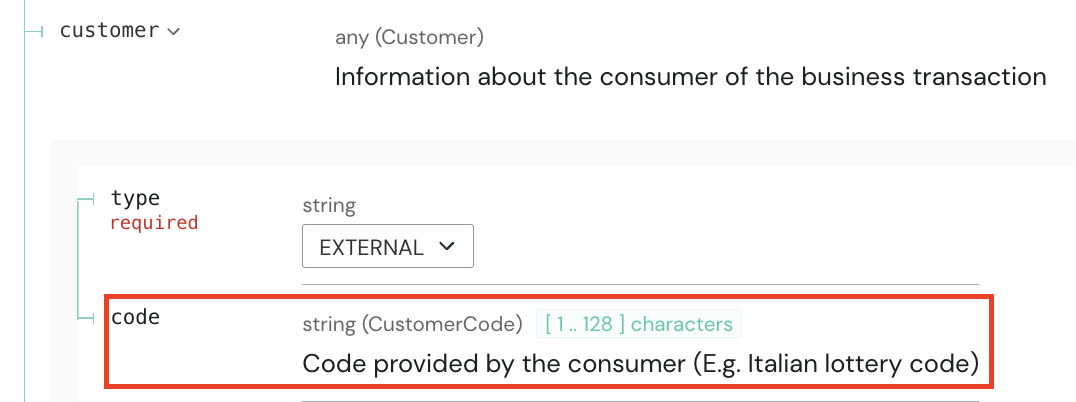
When creating a TRANSACTION record of type RECEIPT and CORRECTION in the SIGN IT createRecord endpoint, you can include the lottery code provided by the consumer in the customer.code field.
CANCELLATION records, this information is directly derived from the original receipt referenced by the cancellation document.
When a lottery code is transmitted, it is appended to the commercial document number (DCW) within the compliance.data, separated by a comma. Example: "DCW2026/1234-0001,NB7A1235"
In the official AdE PDF (retrievable via API), these values are displayed separately as:
Documento N.CODICE LOTTERIA DEL CLIENTE
In a future API version, we may introduce an improved compliance rendering mechanism.
For additional details and background information, refer to the “Receipt Lottery” section of the SIGN IT Guide.
Was this page helpful?